1. Register & Onboard Your Students
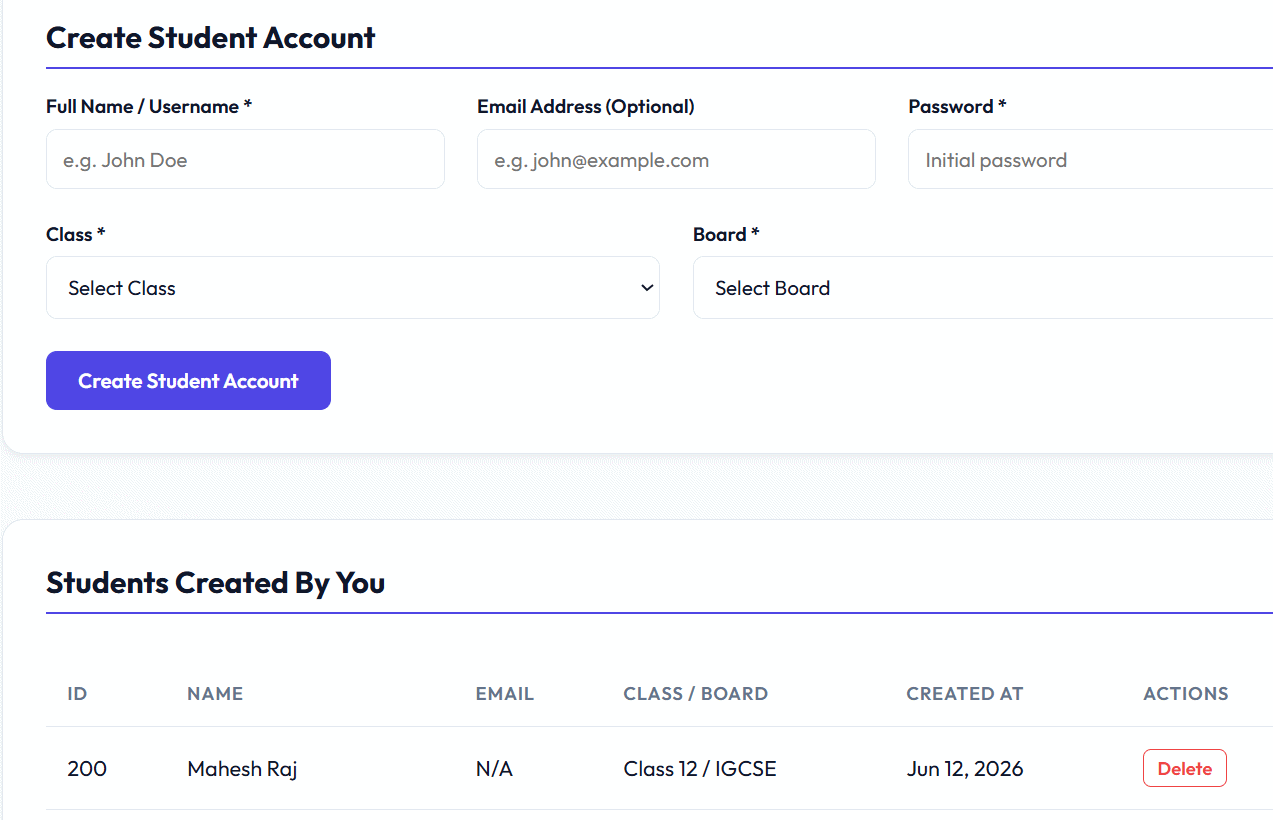
Start by bringing your classroom online. Easily register your students on the portal so they can access the premium assessments and quizzes you create for them. A dedicated dashboard keeps all your student records in one place.
- Quickly create secure accounts for each student
- Manage student profiles and passwords
- View complete rosters of enrolled students
- Keep your classroom organized and digital
2. Build & Manage Questions Effortlessly
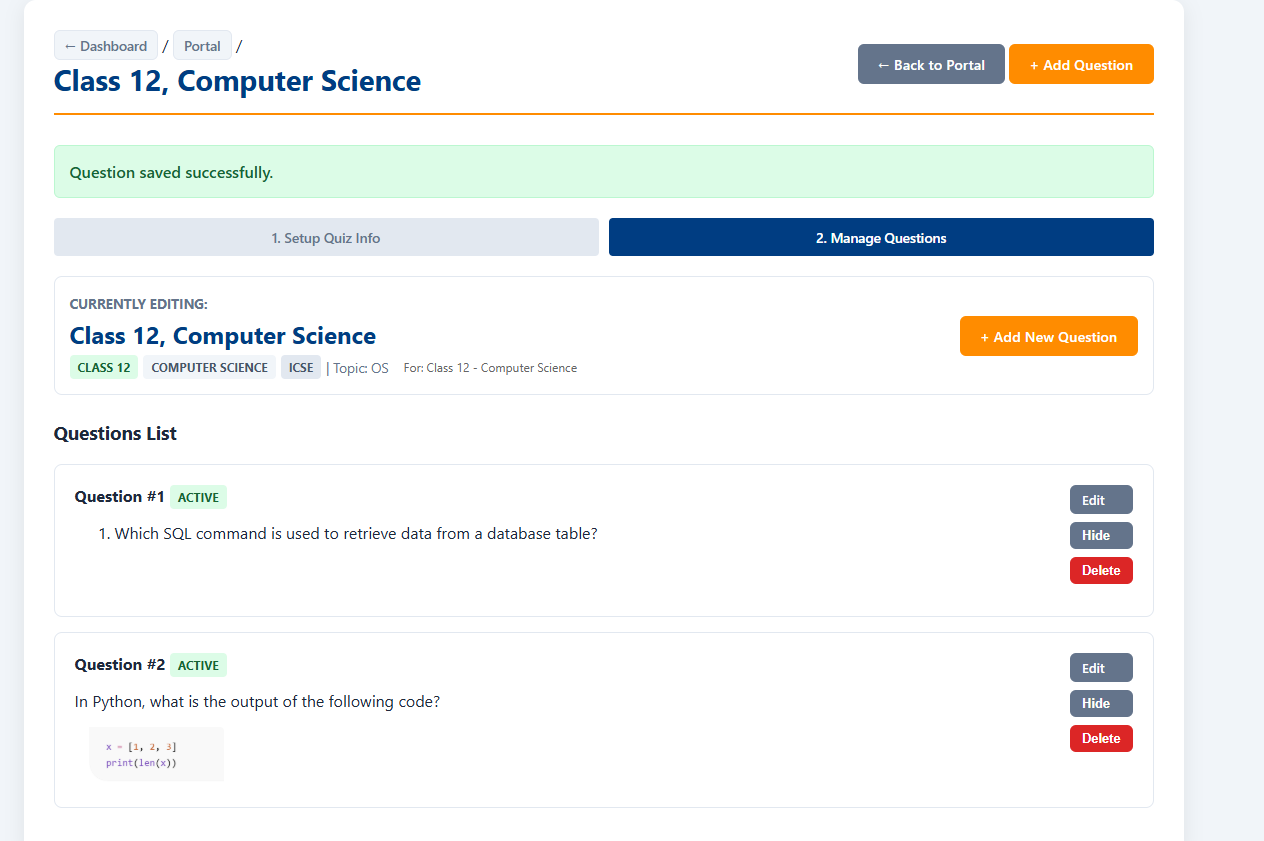
Use the intuitive question editor to craft MCQ and subjective questions for your assessments. Organize them by class, subject, board, and topic. Edit, hide, or delete questions anytime from a clean management interface.
- Rich text editor with support for code snippets
- Organize by class, subject, board & topic
- Edit, hide, or delete individual questions
- Add unlimited questions to each assessment
3. Assign Tests to Individual Students
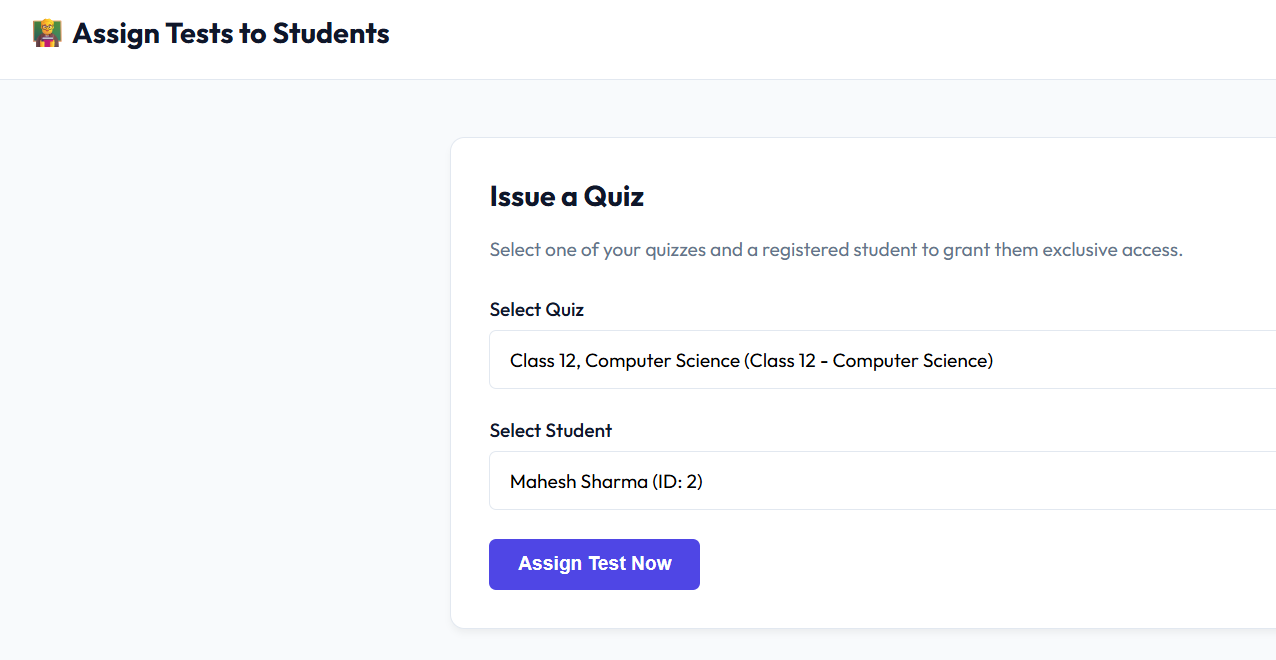
Select any of your created assessments and assign it directly to a registered student. Each student gets exclusive, secure access to only the tests you assign — ensuring a controlled and focused learning environment.
- Select a quiz and a student with just two clicks
- Exclusive access — students only see assigned tests
- Secure, controlled test distribution
- No links to share, no extra setup needed
4. Evaluate Submissions & Give Feedback
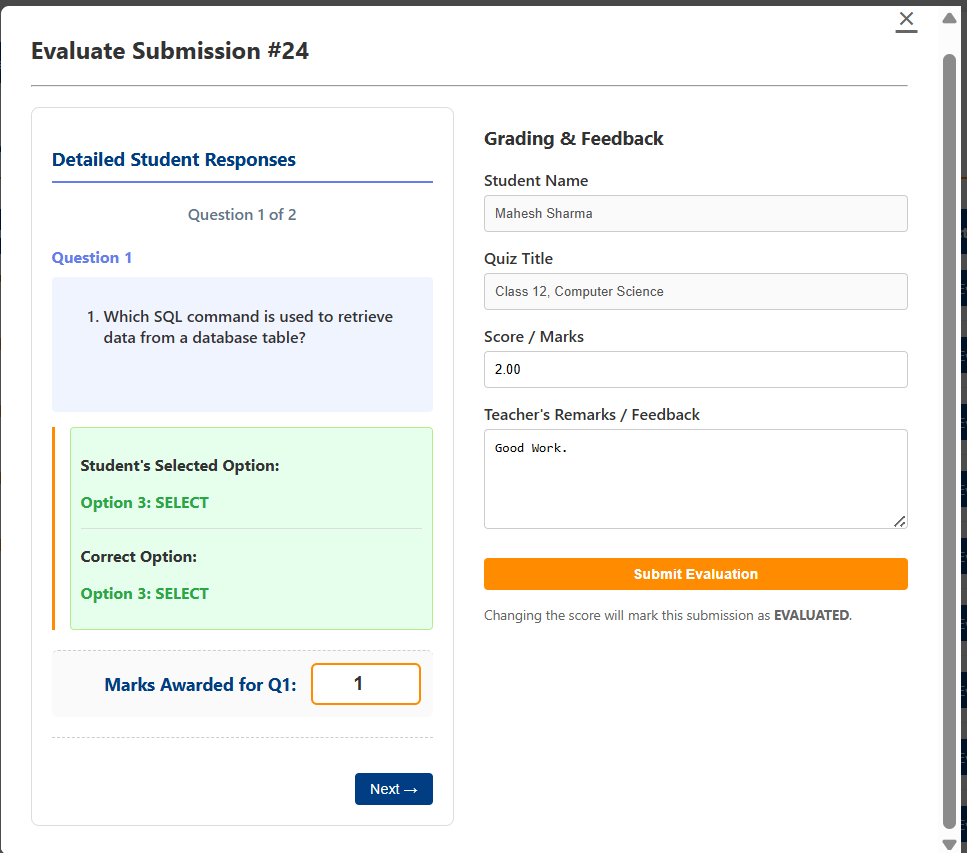
Review each student's responses in detail. See what the student selected versus the correct answer, award marks per question, and write personalized teacher remarks. Submit your evaluation and the student sees their graded result instantly.
- Side-by-side view of student answers vs correct answers
- Award marks per question with full control
- Add personalized teacher remarks & feedback
- Students receive graded results instantly after evaluation